
FlatList for Flutter


FlatList widget in Flutter which will be familiar to React Native developers.
Motivation
While there are opinionated ways to build listviews in React Native, there are many ways to build listviews in Flutter. In Flutter, we can use ListView, ListView.builder(), SliverList and also when you want to make list with more than one column, you need to use GridView, SliverGrid and so on.
By providing FlatList widget in Flutter, we can move faster on implementing the ListView we want.
Installation
flutter pub add flat_list
Usage
You'll easily understand by looking at below code.
FlatList(
  onEndReached: () async {
    loading.value = true;
    await Future.delayed(const Duration(seconds: 2));
    if (context.mounted) {
      items.value += getMoreData();
      loading.value = false;
    }
  },
  onRefresh: () async {
    await Future.delayed(const Duration(seconds: 2));

    if (context.mounted) {
      items.value = data;
    }
  },
  loading: loading.value,
  listHeaderWidget: const Header(),
  listFooterWidget: const Footer(),
  listEmptyWidget: Container(
    alignment: Alignment.center,
    padding: const EdgeInsets.all(12),
    child: const Text('List is empty!'),
  ),
  data: items.value,
  buildItem: (item, index) {
    var person = items.value[index];

    return ListItemView(person: person);
  },
)
More about the differences in props compared to React Native's FlatList are listed below.
| Flutter | React Native | Required |
|---|---|---|
data |
data |
✓ |
buildItem |
renderItem |
✓ |
listHeaderWidget |
ListHeaderComponent |
|
listFooterWidget |
ListFooterComponent |
|
listEmptyWidget |
ListEmptyComponent |
|
onRefresh |
onRefresh |
|
onEndReached |
onEndReached |
|
| `` | refreshing |
|
loading |
loading |
|
numColumns |
numColumns |
|
onEndReachedDelta |
onEndReachedThreshold |
|
controller |
`` | |
inverted |
inverted |
Basic setup
The complete example is available here.
FlatList requires you to provide data and buildItem:
buildItemmethod is identical to renderItem in React Native.datais a plain list.
FlatList(
  data: items.value,
  buildItem: (item, index) {
    var person = items.value[index];

    return ListItemView(person: person);
  },
)
Adding additional views
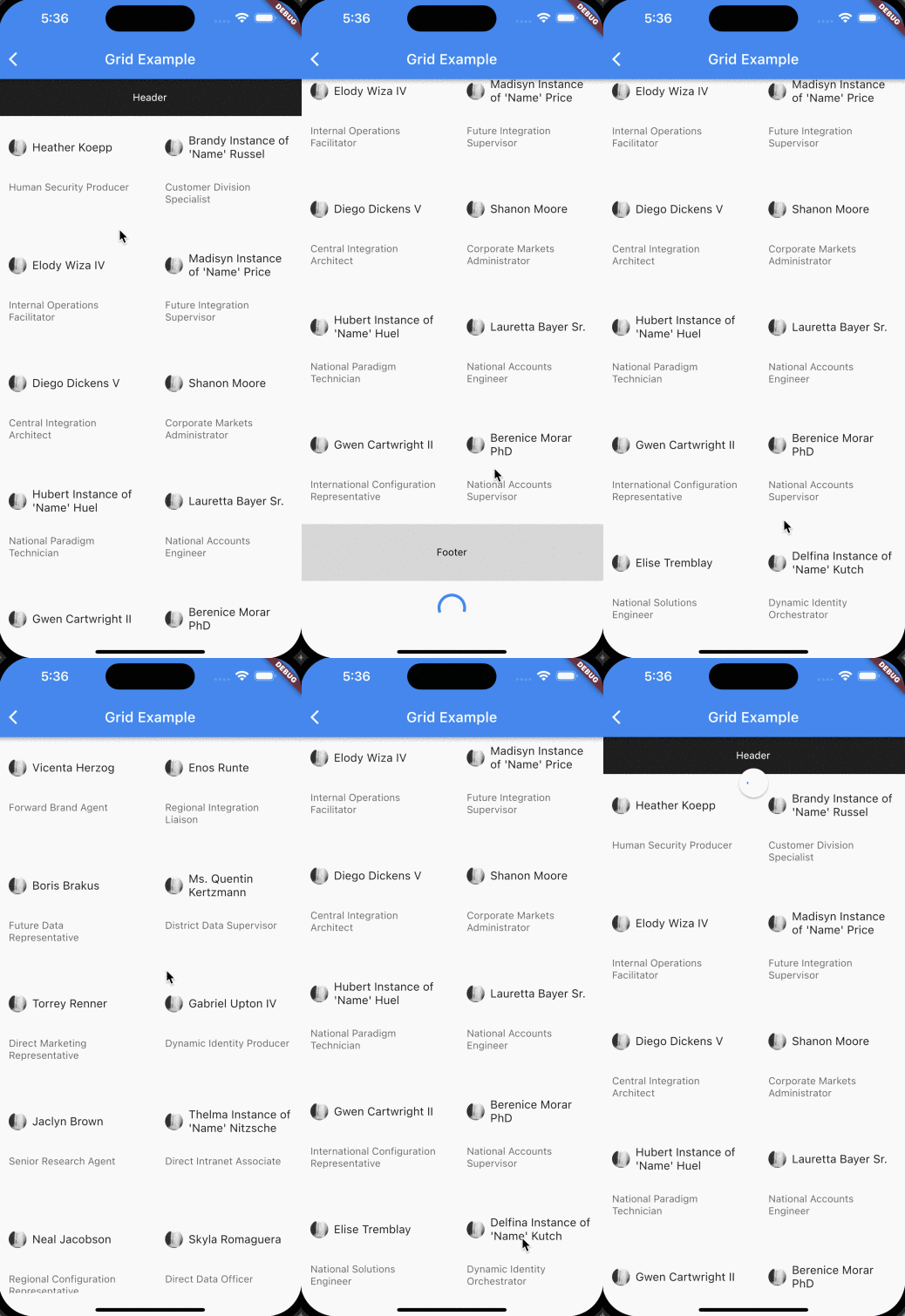
You can provide header and footer in FlatList. When providing listEmptyWidget, it will be rendered when the list of data is empty.
listHeaderWidget: const Header(), // Provider any header
listFooterWidget: const Footer(), // Provider any footer
listEmptyWidget: Container(
  alignment: Alignment.center,
  padding: const EdgeInsets.all(12),
  child: const Text('List is empty!'),
),
Refresh indicator
Providing onRefresh will add RefreshIndicator. Therefore you can refresh the data.
onRefresh: () async {
  await Future.delayed(const Duration(seconds: 2));

  if (context.mounted) {
    items.value = data;
  }
},
Infinite scroll
Infinite scrolling is possible using onEndReached. You should also provide loading to use this feature correctly.
loading: loading.value,
onEndReached: () async {
  loading.value = true;
  await Future.delayed(const Duration(seconds: 2));
  if (context.mounted) {
    items.value += getMoreData();
    loading.value = false;
  }
},
GridView
Just by giving numColumns value greater than 1, it will render GridView.
numColums: 3, // Value greater than 1
),
One column
| One column | Multiple Columns |
|---|---|
 |
 |
Demo
Examples are provided in /example folder.
TODO
-
xSupport optionalhorizontalmode -
xSeparator support inListView -
xExpose scroll controller: Ability to control similar functionalities listed below.- [scrollToEnd](https://reactnative.dev/docs/flatlist#scrolltoend) - [scrollToIndex](https://reactnative.dev/docs/flatlist#scrolltoindex) - [scrollToItem](https://reactnative.dev/docs/flatlist#scrolltoitem) - [scrollToOffset](https://reactnative.dev/docs/flatlist#scrolltooffset) -
xSupport inverted -
onEndReachedDeltawith similar toonEndReachedThreshold -