
🔐 Flutter OTP Auto Field
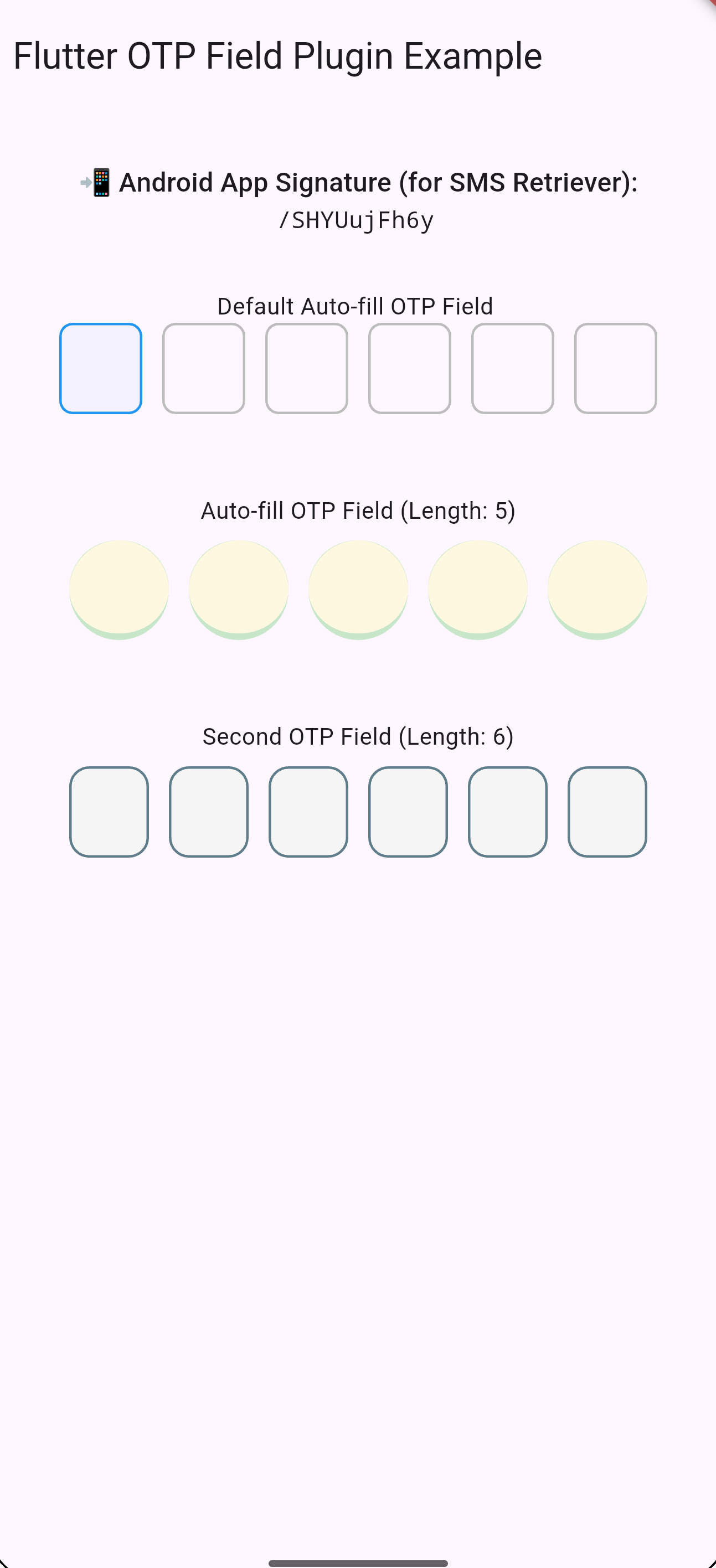
A complete OTP solution for Flutter apps — auto-listen, extract, and display OTPs using Android's SMS Retriever API and iOS QuickType autofill. Includes a fully customizable OTP input field with familiar Container-style decoration support.




💡 Why Use This Package?
Unlike other packages that solve only one part of OTP autofill, flutter_otp_auto_field offers:
✅ OTP Reading via Native APIs (Android & iOS)
✅ App Signature Hash Generator for Android (for SMS Retriever API)
✅ Built-in OTP Input Field with full customization
✅ Paste-friendly & Stream-based OTP Listening
✅ No SMS Permission Required (Safe for Play Store)
✨ Features
| Feature | Supported |
|---|---|
| Android SMS Retriever | ✅ |
| iOS QuickType Autofill | ✅ |
| App Signature Hash | ✅ |
| OTP Stream Listener | ✅ |
| Custom OTP Field Widget | ✅ |
| Paste Support | ✅ |
| No Permissions Needed | ✅ |
⚙️ Installation
Add to your pubspec.yaml:
dependencies:
  flutter_otp_auto_field: ^1.0.0
Then run:
flutter pub get
Android Configuration
Set minimum SDK to 19 in your app-level android/app/build.gradle:
defaultConfig {
  minSdkVersion 19
}
✅ No SMS permissions needed. ✅ Messages must include your app hash.
🧪 Usage
1. Automatically Listen to OTPs
OtpService().init(); // Start listening

OtpService().otpStream.listen((otp) {
  print("Received OTP: $otp");
});
2. Get App Signature Hash (for Android SMS)
final hash = await OtpService().getAndroidAppSignature();
print('Your App Hash: $hash');
Include this hash in your OTP SMS like:
Your OTP is 123456
<#> flutter_otp_auto_field code: 123456
$hash
3. Use Built-in FlutterOtpAutoField Widget
FlutterOtpAutoField(
  length: 6,
  autoFocus: true,
  onCompleted: (value) => print("Completed: $value"),
  decoration: BoxDecoration(
    border: Border(bottom: BorderSide(color: Colors.blue)),
    borderRadius: BorderRadius.circular(12),
  ),
)
It accepts all common customization options like boxWidth, boxHeight, textStyle, obscureText, etc.
📱 iOS Support
iOS autofill works with SMS messages that follow these rules:
-
Must contain the word "code" or its localized equivalent.
-
The message should contain only one numeric sequence.
-
Example:
Your code is 123456
The OTP will appear in the keyboard suggestion bar automatically.
🖼 Example App
See example/lib/main.dart for a full working demo.
FlutterOtpAutoField(
  controller: myController,
  length: 6,
  onCompleted: (value) => print("OTP: $value"),
)
💬 Paste Support
If the user pastes OTP via the clipboard or from system suggestion, the widget handles it automatically — no extra handling needed!
🧼 Clean Architecture
- Uses platform channels for Android/iOS native integration
- Proper stream management (auto-dispose & cleanup)
- Minimal setup — just
init()and listen
📦 API Reference
| Method | Description |
|---|---|
OtpService().init() |
Start OTP listener |
OtpService().otpStream |
Stream of OTP values |
OtpService().getAndroidAppSignature() |
App hash for SMS messages |
🧑💻 Contributing
Have an idea or want to improve this package? Feel free to open an issue or pull request!
📄 License
MIT License © 2025 Deepak Singh
❤️ Built With Care
This plugin was crafted to simplify OTP integration across Flutter projects — combining all necessary features in one robust, lightweight package.
Would you like me to:
✅ Generate a CHANGELOG.md
✅ Create a CONTRIBUTING.md
✅ Add a GitHub Actions workflow.yml for CI
Let me know — happy to help you polish it all for publishing on pub.dev.