
audio_monitor 0.0.1  audio_monitor: ^0.0.1 copied to clipboard
Flutter desktop plugin for live audio input monitoring.
audio_monitor #
A Flutter desktop plugin for live audio input monitoring on desktop platforms.
audio_monitor lets a Flutter app select an input device and monitor that signal through an output path in real time.
Example flow:
Microphone / Line In / Audio Interface Input -> Headphones / Speakers / Output Device

Official documentation #
The full documentation website for this repository is available at:
Use the documentation site for:
- installation and platform setup
- macOS permissions and requirements
- API reference
- architecture notes
- release notes and roadmap
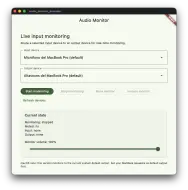
- screenshots and usage guidance
Key capabilities #
- Input device enumeration
- Output device enumeration
- Live desktop input monitoring
- Monitor mute and unmute without tearing down the session
- Dedicated monitor playback volume
- Current monitoring state from Flutter
Important scope #
This plugin is intentionally focused on live monitoring and routing.
- It does not record audio
- It does not persist audio buffers
- It does not generate FFT data
- It does not generate waveforms
- It does not provide RMS or peak metering
- It does not replace
system_audio_meter
Platform support #
| Platform | Status | Notes |
|---|---|---|
| macOS | Supported | Current backend targets selected input -> system default output |
| Windows | Planned | Intended to align with native listen-to-device behavior |
| Linux | Not supported yet | Deferred for a future release |
Installation #
Add the dependency:
dependencies:
  audio_monitor:
    path: ../audio_monitor
Then run:
flutter pub get
Quick start #
import 'package:audio_monitor/audio_monitor.dart';

final monitor = AudioMonitor();

final inputs = await monitor.getInputDevices();
final outputs = await monitor.getOutputDevices();

await monitor.setVolume(0.5);

await monitor.start(
  inputDeviceId: inputs.first.id,
  outputDeviceId: outputs.first.id,
);

await monitor.mute();
await monitor.unmute();

final active = await monitor.isMonitoring();
final state = await monitor.getState();

await monitor.stop();
setVolume() can also be called before start(), so the monitoring session begins with the desired playback level.
Public API #
AudioMonitorDevice #
idnameisDefaulttype
AudioMonitorState #
isMonitoringisMutedvolumeinputDeviceIdoutputDeviceId
Errors #
Native failures are surfaced as AudioMonitorException with one of these codes:
deviceNotFoundpermissionDeniedmonitoringAlreadyActivemonitoringNotActiveplatformNotSupportednativeAudioError
macOS host app requirements #
If your Flutter app uses this plugin on macOS, review the full setup guide in the official docs. At minimum, host applications must declare the microphone privacy key, and sandboxed apps also need the correct audio-input entitlement.
Documentation:
Limitations #
- The current macOS backend routes monitoring to the current system default output.
- Near-zero latency is not physically possible; end-to-end latency still depends on hardware and buffer sizes.
- Windows and Linux are not implemented in this release.
Repository #
Metadata

Documentation
Publisher
unverified uploader
Weekly Downloads
Metadata
Flutter desktop plugin for live audio input monitoring.
Homepage
Repository (GitHub)
View/report issues
License
 MIT (license)
Dependencies
flutter, plugin_platform_interface
More
Packages that depend on audio_monitor
Packages that implement audio_monitor

