
twin_screen 0.1.0  twin_screen: ^0.1.0 copied to clipboard
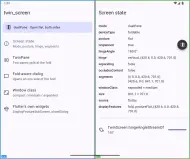
Fold-aware and dual-screen layouts for Flutter: iPhone Duo, Android foldables and flip phones, and web, plus window size classes and a fold simulator.
import 'package:flutter/material.dart';
import 'package:twin_screen/twin_screen.dart';

import 'demos.dart';

void main() {
  runApp(
    // TwinScreenScope reads the fold from the platform. TwinDebugOverlay
    // draws it and simulates foldables; it switches itself off in release.
    const TwinScreenScope(child: TwinDebugOverlay(child: ExampleApp())),
  );
}

/// The example app.
class ExampleApp extends StatelessWidget {
  /// Creates the example app.
  const ExampleApp({super.key});

  @override
  Widget build(BuildContext context) {
    return MaterialApp(
      title: 'twin_screen',
      debugShowCheckedModeBanner: false,
      theme: ThemeData(colorSchemeSeed: Colors.indigo),
      darkTheme: ThemeData(
        colorSchemeSeed: Colors.indigo,
        brightness: Brightness.dark,
      ),
      home: const HomePage(),
    );
  }
}

/// A list of demos on the start pane and the selected demo on the end pane.
///
/// When the panes do not split (a compact phone, the cover screen), tapping a
/// demo opens it as a new page instead.
class HomePage extends StatefulWidget {
  /// Creates the home page.
  const HomePage({super.key});

  @override
  State<HomePage> createState() => _HomePageState();
}

class _HomePageState extends State<HomePage> {
  Demo _selected = Demo.all.first;

  @override
  Widget build(BuildContext context) {
    final TwinScreenData screen = TwinScreen.of(context);
    final bool split = TwinPaneRects.resolve(
      region: Offset.zero & screen.size,
      hinge: screen.hinge,
      widthClass: screen.windowClass.width,
    ).isSplit;

    return TwinPane(
      start: Scaffold(
        appBar: AppBar(title: const Text('twin_screen')),
        body: ListView(
          children: <Widget>[
            ModeBanner(data: screen),
            for (final Demo demo in Demo.all)
              ListTile(
                leading: Icon(demo.icon),
                title: Text(demo.title),
                subtitle: Text(demo.subtitle),
                selected: split && demo == _selected,
                onTap: () {
                  if (split) {
                    setState(() => _selected = demo);
                  } else {
                    Navigator.of(context).push(
                      MaterialPageRoute<void>(
                        builder: (BuildContext context) => DemoPage(demo: demo),
                      ),
                    );
                  }
                },
              ),
          ],
        ),
      ),
      end: DemoPage(
        key: ValueKey<Demo>(_selected),
        demo: _selected,
        showBack: false,
      ),
    );
  }
}

/// One demo with its own scaffold.
class DemoPage extends StatelessWidget {
  /// Creates a demo page.
  const DemoPage({super.key, required this.demo, this.showBack = true});

  /// The demo to show.
  final Demo demo;

  /// Whether the app bar shows a back button.
  final bool showBack;

  @override
  Widget build(BuildContext context) {
    return Scaffold(
      appBar: AppBar(
        title: Text(demo.title),
        automaticallyImplyLeading: showBack,
      ),
      body: demo.builder(context),
    );
  }
}Metadata
1
likes
160
points
--
downloads

Documentation
Publisher
unverified uploader
Metadata
Fold-aware and dual-screen layouts for Flutter: iPhone Duo, Android foldables and flip phones, and web, plus window size classes and a fold simulator.
Repository (GitHub)
View/report issues
Contributing
Topics
#foldable #dual-screen #adaptive #responsive #layout
License
 MIT (license)
Dependencies
flutter, flutter_web_plugins, web
More
Packages that depend on twin_screen
Packages that implement twin_screen