
settings_ui 4.0.0  settings_ui: ^4.0.0 copied to clipboard
Published 19 hours ago •  yako.dev
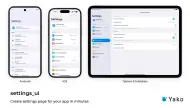
yako.devSettings screens that look native on iOS, Android, macOS, Windows, Linux (GNOME) and the web, from one API, with sub-pages and a split view for tablets and desktop.
import 'package:example/screens/gallery/android_native_settings_screen.dart';
import 'package:example/screens/gallery/android_notifications_screen.dart';
import 'package:example/screens/gallery/android_settings_screen.dart';
import 'package:example/screens/gallery/cross_platform_settings_screen.dart';
import 'package:example/screens/gallery/gnome_power_settings_screen.dart';
import 'package:example/screens/gallery/ios_developer_screen.dart';
import 'package:example/screens/gallery/ios_native_settings_screen.dart';
import 'package:example/screens/gallery/macos_notifications_screen.dart';
import 'package:example/screens/gallery/material3_demo_screen.dart';
import 'package:example/screens/gallery/showcase_screen.dart';
import 'package:example/screens/gallery/split_view_screen.dart';
import 'package:example/screens/gallery/web_chrome_addresses_settings.dart';
import 'package:example/screens/gallery/web_chrome_settings.dart';
import 'package:example/screens/gallery/windows_display_settings_screen.dart';
import 'package:example/screens/gallery_screen.dart';
import 'package:example/utils/launch_options.dart';
import 'package:cupertino_ui/cupertino_ui.dart';
import 'package:material_ui/material_ui.dart';
import 'package:settings_ui/settings_ui.dart';

void main() {
  runApp(const MyApp());
}

/// The screens that the `screen` launch option opens instead of the gallery
/// (see [LaunchOptions]).
final launchScreens = <String, Widget Function()>{
  'cross-platform': CrossPlatformSettingsScreen.new,
  'material3': Material3DemoScreen.new,
  'split-view': () => SplitViewScreen(
    platform: LaunchOptions.platform ?? DevicePlatform.device,
    initialPageId: LaunchOptions.page,
  ),
  'showcase': () => ShowcaseScreen(
    platform: LaunchOptions.platform ?? DevicePlatform.device,
    initialPageId: LaunchOptions.page,
  ),
  'ios-developer': IosDeveloperScreen.new,
  'ios-native': IosNativeSettingsScreen.new,
  'macos': MacosNotificationsScreen.new,
  'android-settings': AndroidSettingsScreen.new,
  'android-native': AndroidNativeSettingsScreen.new,
  'android-notifications': AndroidNotificationsScreen.new,
  'web-chrome': WebChromeSettings.new,
  'web-chrome-addresses': WebChromeAddressesScreen.new,
  'gnome-power': GnomePowerSettingsScreen.new,
  'windows-display': WindowsDisplaySettingsScreen.new,
};

class MyApp extends StatelessWidget {
  const MyApp({super.key});

  @override
  Widget build(BuildContext context) {
    return MaterialApp(
      debugShowCheckedModeBanner: false,
      theme: ThemeData.light(useMaterial3: true),
      darkTheme: ThemeData(
        useMaterial3: true,
        cupertinoOverrideTheme: const CupertinoThemeData(
          barBackgroundColor: Color(0xFF1b1b1b),
          brightness: Brightness.dark,
          textTheme: CupertinoTextThemeData(primaryColor: Colors.white),
        ),
        brightness: Brightness.dark,
      ),
      themeMode: LaunchOptions.themeMode,
      title: 'Settings UI Demo',
      // The initial route (`--route`, or the `#/...` part of the web URL)
      // picks the screen through LaunchOptions, so it isn't a route name
      // the Navigator knows. Open the screen under that name instead of
      // letting the Navigator look it up, fail with a debug error and fall
      // back to `/`.
      onGenerateInitialRoutes: (initialRoute) => [
        _homeRoute(RouteSettings(name: initialRoute)),
      ],
      onGenerateRoute: (settings) => settings.name == Navigator.defaultRouteName
          ? _homeRoute(settings)
          : null,
    );
  }

  /// The screen the launch options pick, or the gallery.
  static Route<void> _homeRoute(RouteSettings settings) => MaterialPageRoute(
    settings: settings,
    builder: (_) =>
        launchScreens[LaunchOptions.screen]?.call() ?? const GalleryScreen(),
  );
}Metadata
1.04k
likes
160
points
336k
downloads

Documentation
Publisher
Weekly Downloads
Metadata
Settings screens that look native on iOS, Android, macOS, Windows, Linux (GNOME) and the web, from one API, with sub-pages and a split view for tablets and desktop.
Repository (GitHub)
View/report issues
Topics
#settings #preferences #ui #widget #adaptive
License
 Apache-2.0 (license)
Dependencies
cupertino_ui, flutter, material_ui