
settings_ui 4.0.0  settings_ui: ^4.0.0 copied to clipboard
Published 20 hours ago •  yako.dev
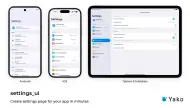
yako.devSettings screens that look native on iOS, Android, macOS, Windows, Linux (GNOME) and the web, from one API, with sub-pages and a split view for tablets and desktop.
Use this package as a library
Depend on it
Run this command:
With Flutter:
$ flutter pub add settings_uiThis will add a line like this to your package's pubspec.yaml (and run an implicit flutter pub get):
dependencies:
  settings_ui: ^4.0.0
Alternatively, your editor might support flutter pub get. Check the docs for your editor to learn more.
Import it
Now in your Dart code, you can use:
import 'package:settings_ui/settings_ui.dart';Metadata
1.04k
likes
160
points
336k
downloads

Documentation
Publisher
Weekly Downloads
Metadata
Settings screens that look native on iOS, Android, macOS, Windows, Linux (GNOME) and the web, from one API, with sub-pages and a split view for tablets and desktop.
Repository (GitHub)
View/report issues
Topics
#settings #preferences #ui #widget #adaptive
License
 Apache-2.0 (license)
Dependencies
cupertino_ui, flutter, material_ui